



JILI APK Download: JILI Myanmar on Your Android Phone
This page is the JILI APK download for JILI Myanmar players, and the only place we publish it. The app opens the account you already have: same login, same balance, same games as the website, with no browser bar in the way.


The JILI Myanmar APK at a glance
- Latest version
- 1.0.0 (27 September 2026)
- File
- jilimyanmar-v1.0.0.apk, 4.4 MB
- Works on
- Android 7.0 or newer
- App ID
- com.jilimyanmar.app
- Permissions
- Internet, fingerprint (only if you turn the lock on)
- Signed by
- JILI Myanmar
- Price
- Free
SHA-256 of the file
025084ac237ae02dcc5e6cdb7021cb3e5bb90517e9c783dfc5b24aa2d32555f8
A checksum app on your phone should show exactly this code for the file you downloaded. A different code means the file was changed on the way: delete it.
How the JILI APK download and install works
We installed the app on a freshly reset Android 15 phone to take these pictures, so this is what your screen will show. Older Android versions word things a little differently, but the order stays the same.
 1
1Download the file
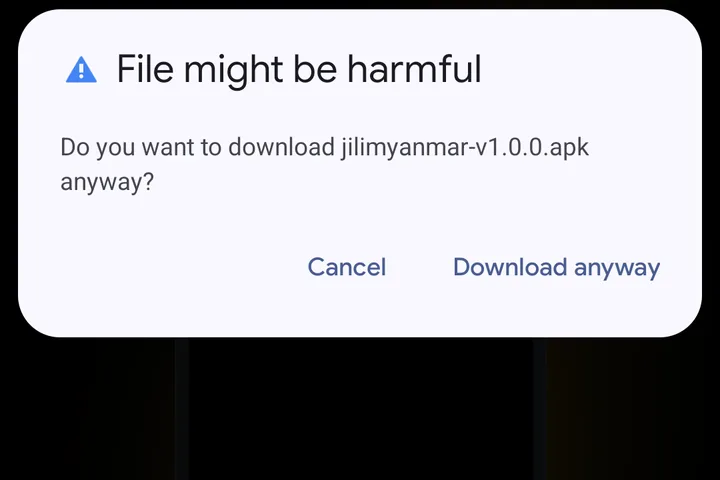
Tap Download APK at the top of this page. Chrome warns “File might be harmful”; it says that about every app that does not come from the Play Store. Tap Download anyway and the 4.4 MB file arrives in a few seconds.
 2
2Open it and meet the security notice
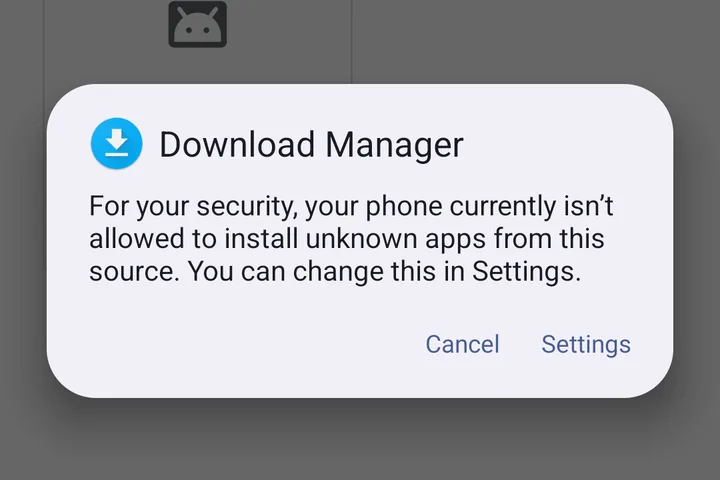
Tap Open when the download finishes, or find the file in your Downloads folder. The first time, Android stops you and says it is not allowed to install unknown apps from this source. That is expected. Tap Settings.
 3
3Allow this one source
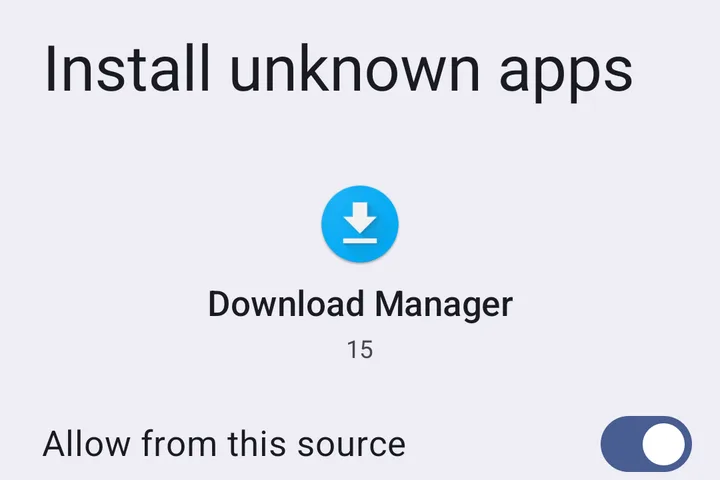
Switch on Allow from this source and press back. The switch covers only the app you opened the file with, and you can turn it off again once JILI Myanmar is installed.
 4
4Install and log in
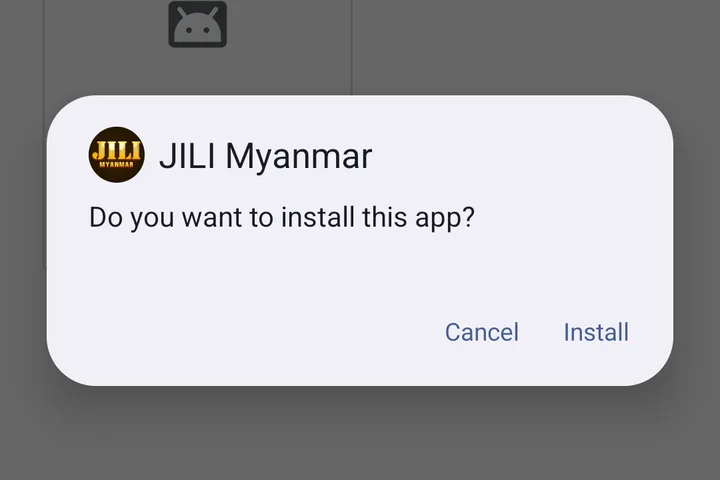
Android shows the gold JILI icon and asks if you want to install. Tap Install, wait a few seconds, then Open. Log in once with your phone number and password; the app remembers you.
What changes once the app is on your phone
- One tap from your home screen
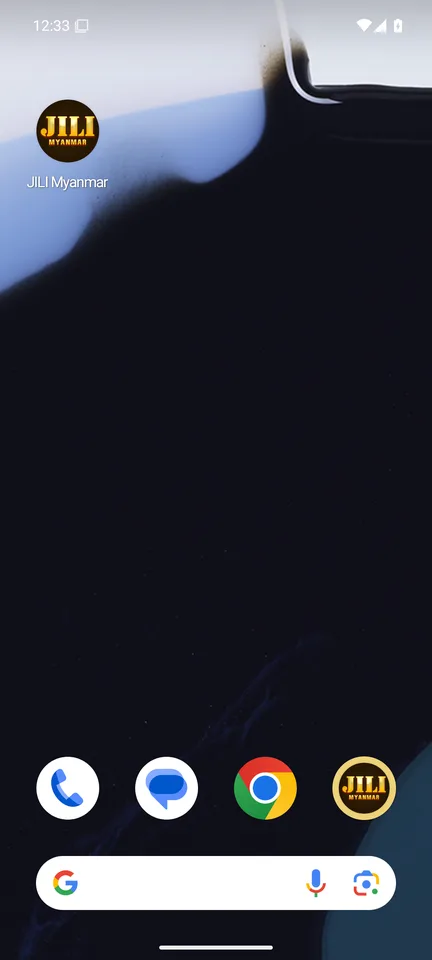
- The gold JILI icon sits with your other apps and opens straight into your account, already logged in.
- No browser bar
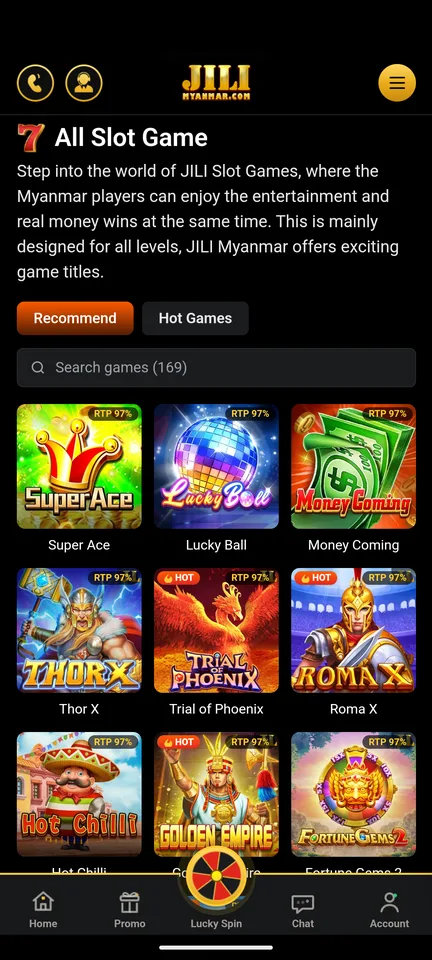
- The site fills the whole screen and games open edge to edge. A small gold × on the right edge takes you back to the lobby.
- Finds us if the address changes
- If a network blocks our web address, the app picks up the new one by itself. Nothing to reinstall.
- Fingerprint lock, if you want it
- The second time you open the app it offers a fingerprint lock, so nobody else can open your wallet on your phone.
How to tell the real JILI APK from a fake
Copies of casino apps travel through chat groups and APK mirror sites, and some are changed to collect logins. Before installing any file with JILI in its name, check these four things.
- It came from jilimyanmar.com/download/, not from a chat, a social media post or an APK site.
- Android's install screen says JILI Myanmar and shows our gold JILI icon, like step 4 above.
- It asks for internet access and, only if you choose the lock, your fingerprint. An app that wants your contacts, SMS or location is not ours.
- It never asks for your password or an OTP anywhere except our normal login page.
There is no “MOD” or unlocked JILI Myanmar app. Files sold that way are built to take over accounts. If someone sends you one, tell our Live Chat team.
Keeping the app up to date
When we release a new version, the app tells you as it opens and shows an Update button. The new file installs over the old one, so your login stays. You only need this page again if you delete the app or change phones.
Using an iPhone?
The app is for Android only. In Safari, tap Share, then Add to Home Screen, and you get a JILI icon that opens the site the same way.